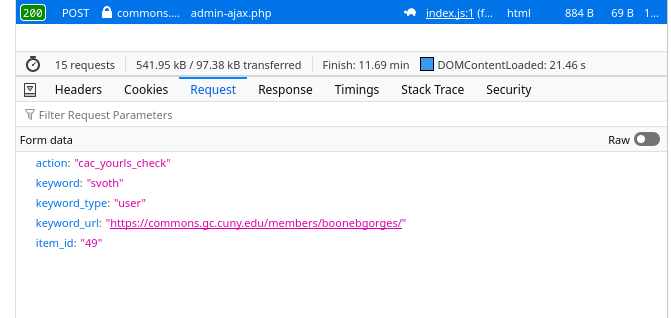
I've just tested this with my own account, and it seems to be working as expected.
I wonder if perhaps this is a problem specific to your test. I checked the cuny.is admin and there's an existing link cuny.is/svoth, which points to http://cdev.gc.cuny.edu/members/scottvoth/, created back in 2013 (!). So, from the point of view of the URL shortener software, that name is not available.
What's odd is that you were able to save the already-taken name in the first place. When I try to take an already-claimed URL, the CV editor (correctly) shows an error. See screenshot. Looking over the code, it's not supposed to let you save a short URL that has been rejected in this way https://github.com/cuny-academic-commons/cac/blob/master/wp-content/plugins/cac-cv-editor/blocks/src/cv-shortlink/index.js.
Can you test again and let me know if you're seeing the error message from the screenshot when you try to get 'svoth'? If not, can you open your developer console (F12) to the Network tab, and then filter by AJAX or XHR, and then see what happens when you enter 'svoth'? There should be a request to admin-ajax.php, and if you highlight it and click Request, you should see that it fired with action:cac_yourls_check, and on a successful rejection, the 'Response' tab should have 'code:0'.