Feature #25326
closedBug #25126: VPAT Initial Report
Update Select2 to v4.1.0
0%
Description
In the accessibility audit, a few issues were brought up regarding the Select2 JS library. We use this library to power the <select> dropdown menus on the Commons.
We were previously using v4.0.5. v4.1.0 adds better accessibility, notably in the following areas:
- Selected results in the dropdown should now be properly announced to screen readers (5841)
- Significant improvements were made to make the selection area accessible (5824, 5842, 5916, 5942, 5973)
This fixes most of the issues in the VPAT with Select2.
I've updated our cac-select2 script and our BP Event Organiser's Select2 script to v4.1.0 in https://github.com/cuny-academic-commons/cac/commit/439122c3ccd1f91b8953bcef537b1e6827c0cb0f and https://github.com/cuny-academic-commons/cac/commit/6c496ea3eb75cb8a0d1aef7b60ce048dd3b49cb7.
I've also styled our <select> dropdown menus to be more uniform across our theme in https://github.com/cuny-academic-commons/cac/commit/038d1be301435bae4c89e74fa1899cf0cbf80cef and in https://github.com/cuny-academic-commons/cac/commit/f8d872383d202989bb8bbcbfbbf5cffeed06ba3d, as there were padding and border color inconsistencies.
There is one remaining VPAT issue with Select2 -- instance ID 510196-01:
Each selected option appears in a list, but the list elements are not announced as buttons and are not keyboard accessible.
This is partially solved by upgrading to v4.1.0 as the "X" remove button is now marked up as a button, but this button is not keyboard-accessible.
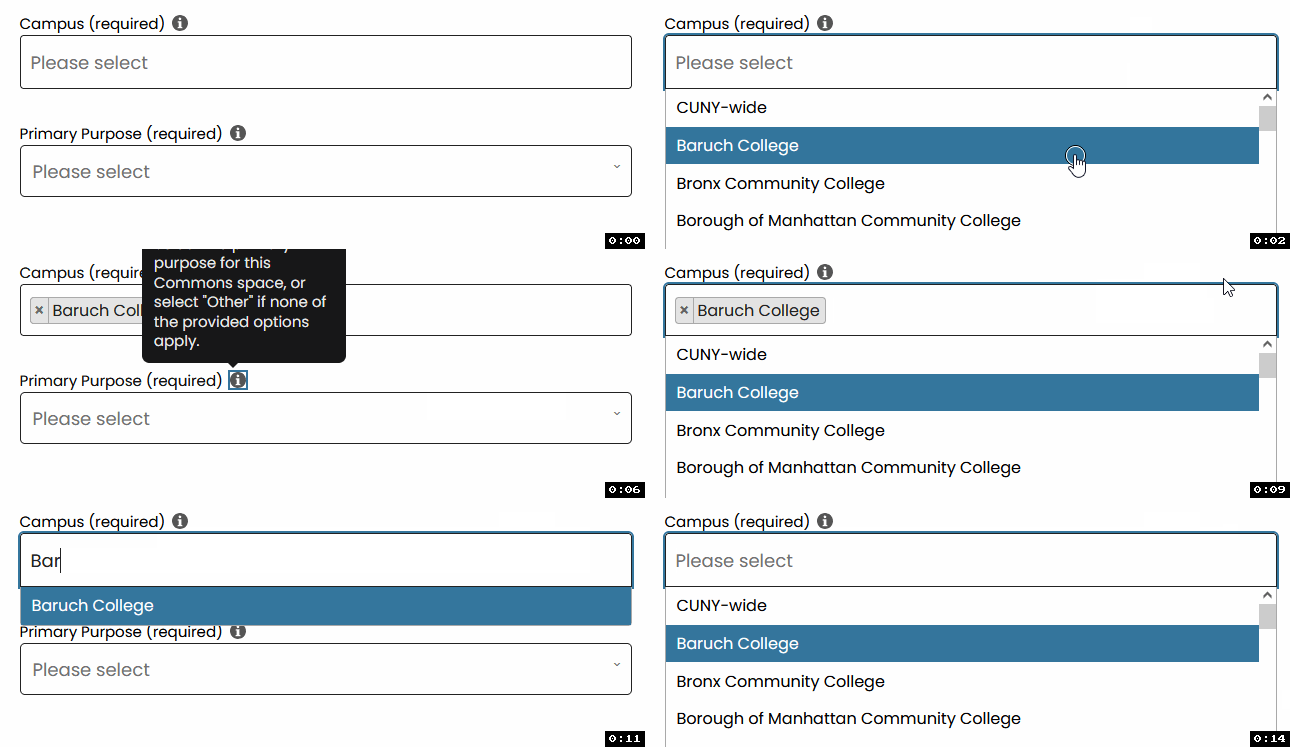
To duplicate, when you select a Campus on a group's "Manage > Details" page or on the Group / Site creation pages, it is not possible to navigate to the "X" remove button with the keyboard. It is possible to manually delete the campus with the Backspace key or Ctrl+Space key combo though. If you delete with the Backspace key, the selected item becomes text so you have to delete all characters, which is a bit of nuisance (see https://github.com/select2/select2/issues/3354). See attached GIF to see an example of this. Can also test on CDEV.
There is also a general accessibility ticket with Select2 being tracked in https://github.com/select2/select2/issues/3744.
Files
Updated by Boone Gorges 2 months ago
- Target version changed from 2.7.9 to 2.7.10
Updated by Boone Gorges about 2 months ago
- Target version changed from 2.7.10 to 2.7.11
Updated by Raymond Hoh about 2 months ago
- Status changed from New to Staged for Production Release
This is partially solved by upgrading to v4.1.0 as the "X" remove button is now marked up as a button, but this button is not keyboard-accessible.
I made a few commits to make the "X" remove button keyboard-accessible last week in https://github.com/cuny-academic-commons/cac/commit/1680d88, https://github.com/cuny-academic-commons/cac/commit/7cb3ad6. So I believe the Select2 issues from the VPAT are addressed, though Select2 are still working on improving overall accessibility in the tickets I mentioned above.
Updated by Boone Gorges about 1 month ago
- Status changed from Staged for Production Release to Resolved