Bug #25452
openOld media library link?
0%
Description
Hi All,
I went to download an old syllabus of mine on the page linked below and I get an XML file link error
Page: https://psych101fall24.commons.gc.cuny.edu/syllabus/#plagiarism--generative-ai-chatgpt-etc
Link: https://files.commons.gc.cuny.edu/wp-content/blogs.dir/34643/files/2024/08/101.06_HURSON_SYLL-1.pdf
But the pdf is still hosted in my media library here: https://s3.amazonaws.com/files.commons.gc.cuny.edu/wp-content/blogs.dir/34643/files/2024/08/101.06_HURSON_SYLL-1.pdf
I think this may be a bug in the way the site is directing me to the pdf?
Files


Updated by Boone Gorges 1 day ago
When I visit https://files.commons.gc.cuny.edu/wp-content/blogs.dir/34643/files/2024/08/101.06_HURSON_SYLL-1.pdf I don't see an XML error. The browser loads the PDF.
Can you share a screenshot or the text of the XML error?
Any chance you've been toggling the public/private setting on this site?
Updated by Laurie Hurson 1 day ago
I havent made any recent changes to the site
attached screenshot of what I am seeing.
Updated by Boone Gorges 1 day ago
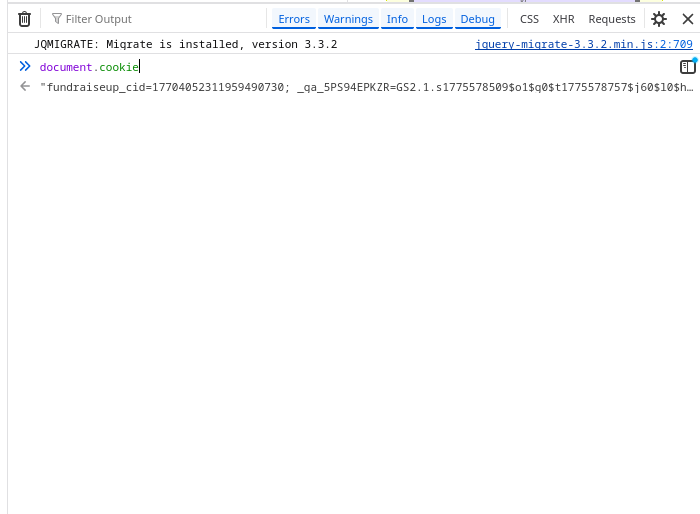
Thanks for the screenshot. This suggest strongly that you've got very bloated cookies for commons.gc.cuny.edu for some reason. 8K of cookies is a really massive amount. Do me a favor: when looking at a Commons page, open the browser console (F12) and then, at the console prompt, type document.cookie.length and hit Enter. This should give you some number larger than 8192, which will confirm my hypothesis. Assuming this is true, I'd be curious to see what the huge cookies are - please type document.cookie and share the output with me. You can also help to confirm that it's cookie-related by opening a separate browser (or a private session) and loading the URL - it should work fine. If you're still getting the XML error in the private window, try bypassing the cache by appending a random query string (like 454545 in the following: https://files.commons.gc.cuny.edu/wp-content/blogs.dir/34643/files/2024/08/101.06_HURSON_SYLL-1.pdf?random=454545)
Anyway, I can probably talk to Reclaim to ask them to make a modification to the way that files.commons.gc.cuny.edu requests are handled, such that cookies are dropped and we can avoid the S3 header-size cap. But I'd like to have your confirmation regarding the cookie/private-browser behavior before moving forward.
Updated by Laurie Hurson 1 day ago
- File cookies.mp4 cookies.mp4 added
- File Screenshot 2026-08-24 at 11.52.26 AM.png Screenshot 2026-08-24 at 11.52.26 AM.png added
I am not sure where to type the commands you sent - I am not able to return any results, see screenshot. I also made a video.
Sorry to ask but can we be more specific of where to type the commands to return the results you need?
Updated by Boone Gorges 1 day ago
You've got to type it at the chevron prompt. See attached
Updated by Boone Gorges 1 day ago
Thanks, Laurie. This all confirms the theory that large cookies are the problem. (Your browser session has lots of Google Analytics cookies from specific Commons subsites, which is what is causing the bloat.) I've sent a request to Reclaim to change the behavior so we can avoid this problem in the future.
Updated by Laurie Hurson 1 day ago
thanks for looking into this.
I cleared my cookies and the Commons is loading much quicker for me now, so this has been very helpful!