Bug #24931
closedGroup photos not working
0%
Description
Hi All,
I am seeing a lot of missing group photos (screenshot) in the directory and got a report from a colleague with the following info:
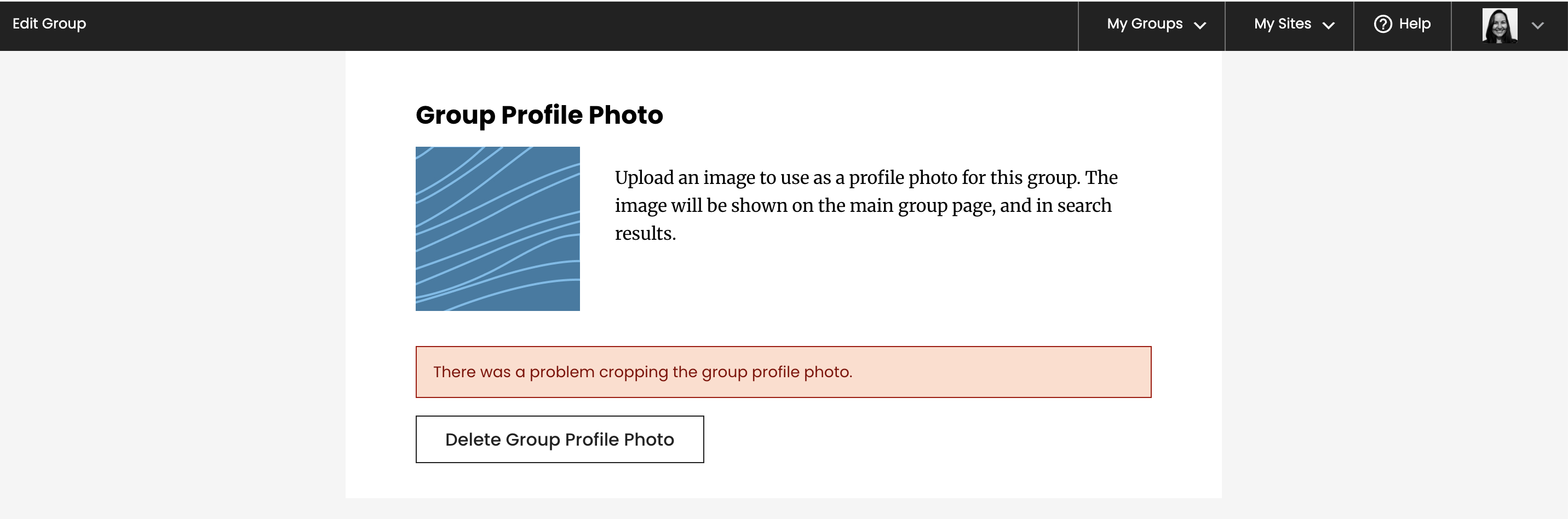
he cuny manifold users group photo stopped working (?) so I deleted it and now I cannot seem to add another photo, no matter how hard I try, it keeps giving me the same error "There was a problem cropping the group profile photo" even though I am not cropping anything.
She was trying to update the photo of this group: https://commons.gc.cuny.edu/groups/cuny-manifold-users/
the group appears to have the default photo but she reports that she was unable to update it.
Files

Updated by Raymond Hoh 6 months ago
- Category name set to BuddyPress (misc)
- Assignee set to Raymond Hoh
- Target version set to 2.7.3
Thanks for the report, Laurie. There is a bug in the avatar caching code I introduced when working on the new admin bar.
I'm looking into it.
Updated by Laurie Hurson 6 months ago
thanks Ray!
I asked for an image of the error and she shared this, attached.
Updated by Raymond Hoh 6 months ago
- Status changed from New to Staged for Production Release
Hi Laurie, I've added a fix for the cropping failure due to the avatar cache code in https://github.com/cuny-academic-commons/cac/commit/84d7ba5c7551e3b634b8faa9612338c38f5e9e91 and have pushed the fix to production.
Can you ask your colleague to try adding the group photo again?
Updated by Raymond Hoh 6 months ago
As for the missing photos for certain groups in the Groups Directory, it looks like an Amazon S3 ACL issue as the image URLs are returning "403 Access Denied" errors when attempting to load them.
Boone, are you able to look into the broken group photos issue?
Updated by Boone Gorges 6 months ago
Hi Ray - I've had a look. I don't think this is an S3 issue, but instead it appears to be related to the avatar cache layer. It seems as if the avatar cache layer doesn't support the possibility that the -thumb and -full variants of the same group's avatar might have different basenames. Take this example, which belongs to group 1746 m-a-program-in-biography-and-memoir:
litespeed@node15377-cunyacprod-1 ~/public_html $ wp s3-uploads ls blogs.dir/1/files/group-avatars/1746/
5dfc12188c660-bpfull.jpg
5dfc1218a3b4f-bpthumb.jpg
BAM-450x181.jpg
Because the -bpfull and -bpthumb basenames are different, one can get poisoned by the other in the cache. In this specific example, the -bpthumb variant is cached, which breaks the full variant on the /groups/ directory:
litespeed@node15377-cunyacprod-1 ~/public_html $ wp shell
wp> groups_get_groupmeta( 1746, '_bp_avatar_url' );
=> string(123) "https://s3.amazonaws.com/files.commons.gc.cuny.edu/wp-content/blogs.dir/1/files/group-avatars/1746/5dfc1218a3b4f-bpfull.jpg"
Note that this URL is incorrect: the hash is from the -bpthumb variant, and the -bpfull variant appears to be concatenated. The fact that you're getting a 403 is a red-herring - this is actually a 404, a case where the file doesn't exist.
I started looking at a patch for this, but I thought maybe I'd ask you to have a look first. I think the cleanest thing is just to cache the thumb and full URLs separately, but this gets a little bit hairy around the question of default avatars and Gravatar support.
Updated by Raymond Hoh 6 months ago
It seems as if the avatar cache layer doesn't support the possibility that the -thumb and -full variants of the same group's avatar might have different basenames.
Thanks for looking into this, Boone. That makes sense. In my limited, local testing, the basenames for both full and thumb avatar versions were the same, so I thought I could get away with just caching the full version and switching the suffix for the thumb. I'll work on caching the avatar thumb URL as well for the avatar caching layer.
Updated by Raymond Hoh 6 months ago
- Status changed from Staged for Production Release to Resolved
I've added avatar thumb URL caching in https://github.com/cuny-academic-commons/cac/commit/d6f58f417261601be54f6bd13bfeb2339d31a934 and pushed the fix to production.
I've also gone through half of the most, recent groups and fixed the broken group photos by deleting the cached group photo URL meta entry. Will work through the rest tomorrow.
Update: All broken group photos should be fixed. Let me know if I missed any.